
A video made to illustrate the difficulties of applying digital technology in areas where there is little or no signal. It forms part of my Project 10 submission, the other part being a physical painting which I’m hoping to steer towards a conceptualisation of information loss.
List of scenes
You are not connected to the internet – a video containing my original paintings and photographs, animated, manipulated, and altered using a variety of apps.
The brief as I understood it, was to demonstrate visually the problems of using AR (augmented reality) in an area where there is almost no reliable mobile signal. In effect to glitch the experience. Some videos are made in-app in a local underpass which, ironically, does have a signal. Timings are approximate.
Scene 1 the Khushbu. This is the only site at which a reasonably reliable signal can be found. The image is my photograph of a tree tunnel which I’ve glitched in PhotoDriector to give a red aspect to some of its components. I made a painting subsequently using this as its base.
Scene 2 at 6 seconds a preliminary paint sketch for a subsequent painting.
Scene 3 at 11 seconds. A photograph of a landscape with an overlay of a large concrete flyover superimposed. This is the flyover under which there is a reliable mobile signal. I’ve let the image leak around the portrait frame into landscape.
Scene 4 at 17 seconds. An Up arrow with an inactive greenscreen surround projected into a vehicle which is also green-screened but in which the chroma key has been applied.
Scene 5 at 24 seconds. A series of images – all gulls – projected into a green-screened poster on a telegraph pole. Although this is not AR, it’s an example of how AR could be used to bring life to posters, to add a layer of meaning or entertainment to static images which, in themselves, would not be affected.
Scene 6 at 45 seconds. A largely uninhabited house here populated by paintings exhibited in Second Life. Again, I’ve brought the projected image out of the greenscreen frame.
Scene 7 at 49 seconds House with green-screened surround activated by the chroma key but containing no projected image.
Scene 8 at 57 seconds. A pair of wheelie bins with video content and audio.
Scene 9 at 1’07”. Photo of the Adur estuary at Shoreham manipulated to appear panoramic and re-coloured for darker tones, probably in Paintshop Pro.
Scene 10 at 1’16”. Local building on the riverside which used to be a pub. Greenscreened to allow image placement.
Scene 11 at 1’27”. This used to be a Thai restaurant but the building has been up for sale for over a year. Around this point, I discovered that I could deploy up to three chroma key values, none of which need be green, and used them to give a sense of dereliction.
Scene 12 at 1’34”. A door in the high street with a green screen stop-motion frog behind it but not contained within its frame.
Scene 13 at 1’37”. The unloved house on the high street with my isolated (by cropping) ornamental pear placed within it and around its edges.
Scene 14 at 1’41”. My own shadow filled with video material made from one of my paintings.
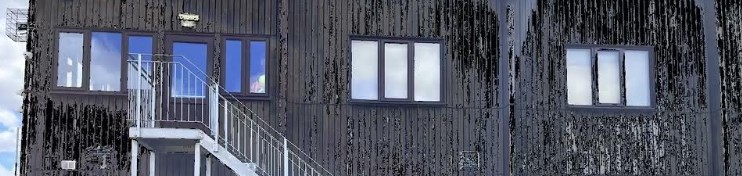
Scene 15 at 2’03”. The rather grim-looking sports hall on the local playing field. It’s as unwelcoming inside as it is on the outside. Again, I’ve used the multiple chroma key to affect the image.
Scene 16 at 2’06”. The sports hall again, this time with animated overlays visible by selective application of the chroma key.
Scene 17 at 3’06”. Part of a photograph of the sky-line over the river bank projected via greenscreen onto a local van.
Scene 18 at 2’37”. The underpass from the top level pathway. I gave this some rigorous attention with the chroma keys and then projected two different animations through it.
Scene 19 at 2’57”. The animated painting used in the previous scene.
Scene 20 at 3’02”. This is where I found I could make my own masks and so here is an obelisk of some sort made in the painting above, allowing a background reality to appear through it.
Scene 21 at 3’03”. The same obelisk window mask affected by a misplaced photograph.
Scene 22 at 3’16”. The local pharmacy with chroma key influences allowing the photograph to appear on its walls and in the clouds.
Scene 23 at 3’22”. The pharmacy fully incorporating part of an animated painting which also appears on an adjacent side wall, in the clouds, and at the edges of the portrait frame.
Scene 24 at 3’27”. The animated photograph used in the preceding images.
Scene 25 at 3’31”. The Khushbu again, briefly with the animation as before followed by a second animation, this time of a painting based on the 3 Body Problem, and then an angled still from the earlier photograph.
Scene 26 at 3’50”. The building and its out-of-frame area filled with the animated image of my garden painting.
Scene 27 at 3’56”. An animated collage. For the collage, I used bubble and ripple effects in PowerDirector, and also flipped the image horizontally, and applied a hand-drawn mask.
Video ends at 4’40”
There is a mountain of new learning in this video. From tiny adjustments following the discovery that not only did I have three chroma keys available per image but that I could use them to affect textures as well as make projection windows, to the use of and making of masks to influence the way material is presented. I also found leaking visual material outside the frame rather than trying to contain it was liberating creatively in that it somehow made fluid my own self-constructed boundaries relating to what constitutes a film.
I’ve made deliberate mistakes in that I haven’t tried to correct misplacements or glitches. I’ve been less precise in many places but also very precise where that would capitalise on a juxtaposition. The looseness along with the considered precision has left me feeling more able to appreciate the chaos as an artistic element in its own right while ensuring it serves the narrative. When mistakes can’t kill anyone, they’re good things to have around.
SCH 2024
 Conboyhill Arts - art from stART to finish