
For post hoc reasons, this post is masquerading as Project 9. I am currently mid hoc.
And the annual Advent Window parade is on its way. This is a whole-lane enterprise with as many of us as possible putting up a display in our windows. At first, we had a sequential unveiling with each of us ‘hosting’ our neighbours as our contribution went live. Later we moved to a mass revealing on the same evening and we all visited each one together. The upside of this was that no one had to go first, the downside that no one had many days longer than the earlybirds to make their contribution!
So now, this is the time of year I start thinking about what I might do that both fits in my window and can be lit up in some way. Something I’ve never achieved at the same time. These are my previous contributions, all on A1 card and all AR embedded.
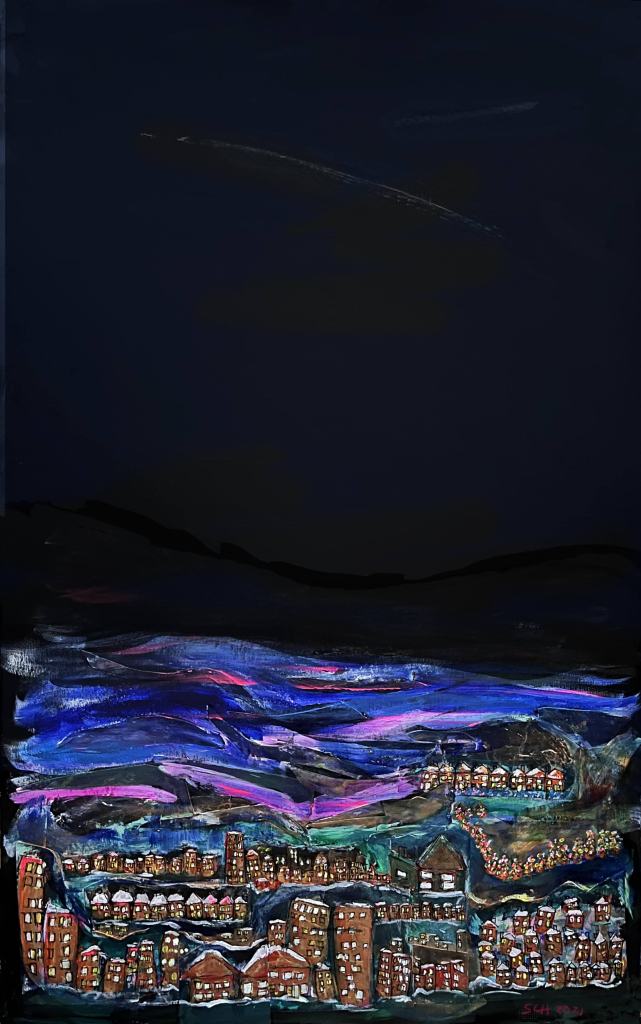

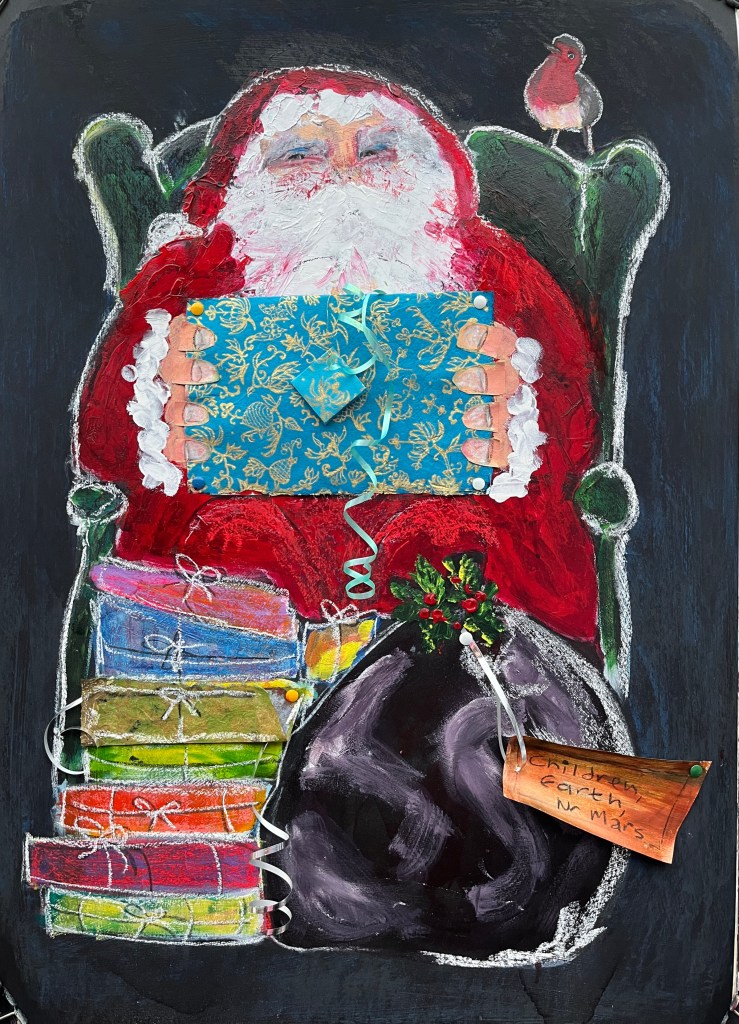

This time, my ambition is to make a long narrow-ish strip that represents the lane, and to employ some techniques I saw from one of our OCA tutors yesterday evening. It just happened that I’d already settled on the basics of his method by taking photos of the houses in the lane through the trees from the road running parallel and some more of the trees themselves from the lane. The blue and gold I think I’ll be borrowing from Bryan (Eccleshall) will comprise some sort of background.
For now, and it’s best to consider always that I don’t use sketch books because I find it hard to upscale, here are the photos glued onto card. They’re in pretty much the right order going left to right but I really had trouble identifying some of them, especially the interpolated trees.

I’ll be stripping this out into four horizontal pieces but quite what will happen before that is still rumbling around in my subconscious boiling pot. To help get my bearings, I’ve taken some clips from Google Streetview (not shown).
This format will be tricky to embed with AR but I can make cards that will work fine. That all depends on how unique or similar I can make the various chunks and whether I can somehow activate a whole strip with one target image. And what about a concertina format? (Nodding to Bryan again). Vertical or horizontal?
19th September. Glue dries like gloss, presenting little purchase to subsequent layers, so this morning I’ve applied a coat of clear acrylic gesso which should enable the use of, for instance, pencil or marker pen. I’ll be using this to outline key features such as houses and some of the trees. The plan then is to paint these in a vibrant style, setting them apart from what will be a blue or gold background. The Advent Window display is a family event and so this will be more child-oriented than my usual rather dark material. No AR shocks with this production!
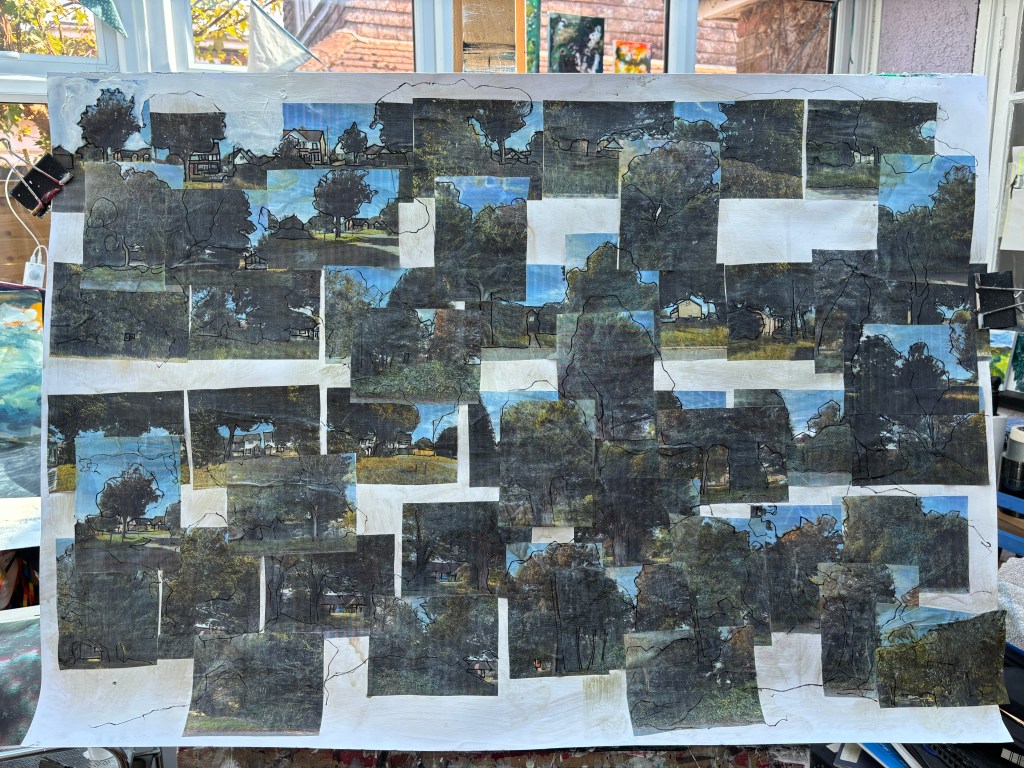
The lines in black acrylic pen outline key elements in each picture and extend some into the white space around it.

The white paint will support the blue and the gold to be as bright as possible. It also begins to soften the edges of the photos and suddenly, they look like a village in snow which is really not what I’d expected and now I have to decide whether or not to pursue this direction. It would mean not cutting up the whole into strips, or recreating at any level, the lane. The two blue areas are tryouts to see which carries its weight best in this context. And of course I like both.

First pass of sky colours – prussian blue and ultramarine blue. This will find its feet when the trees and foliage are painted in and that will need a layer of white first. Snow village has gone!
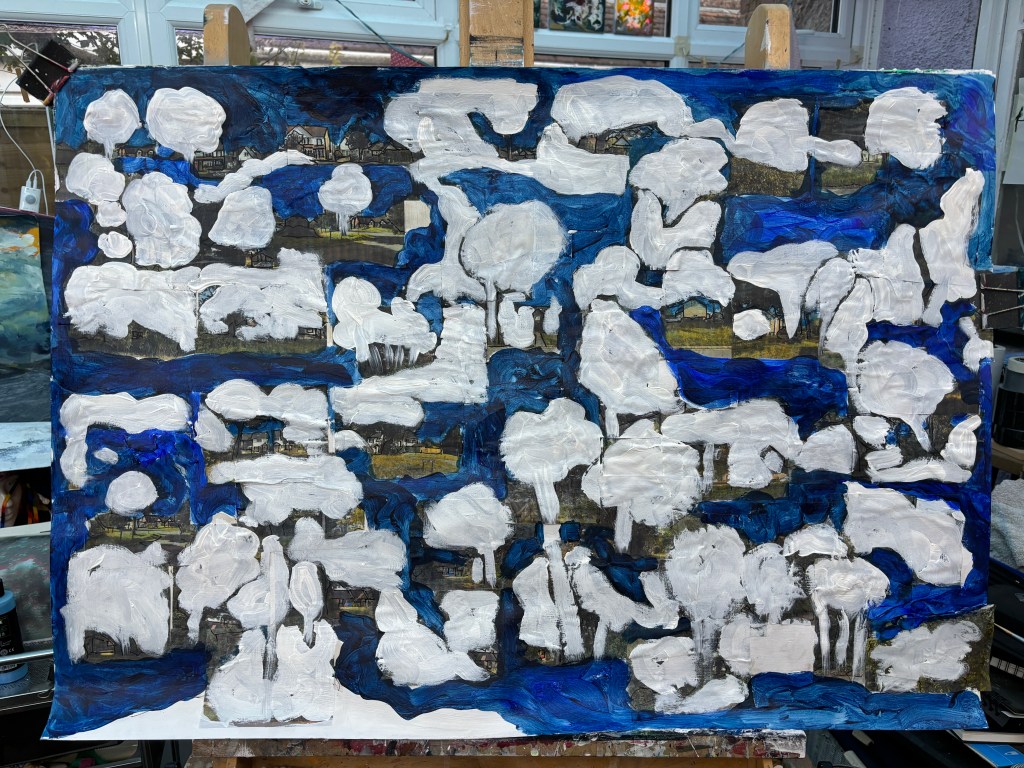
These are the trees and foliage. The white lifts whatever colour goes on top of it and will take it away from the now rather muddy photos.
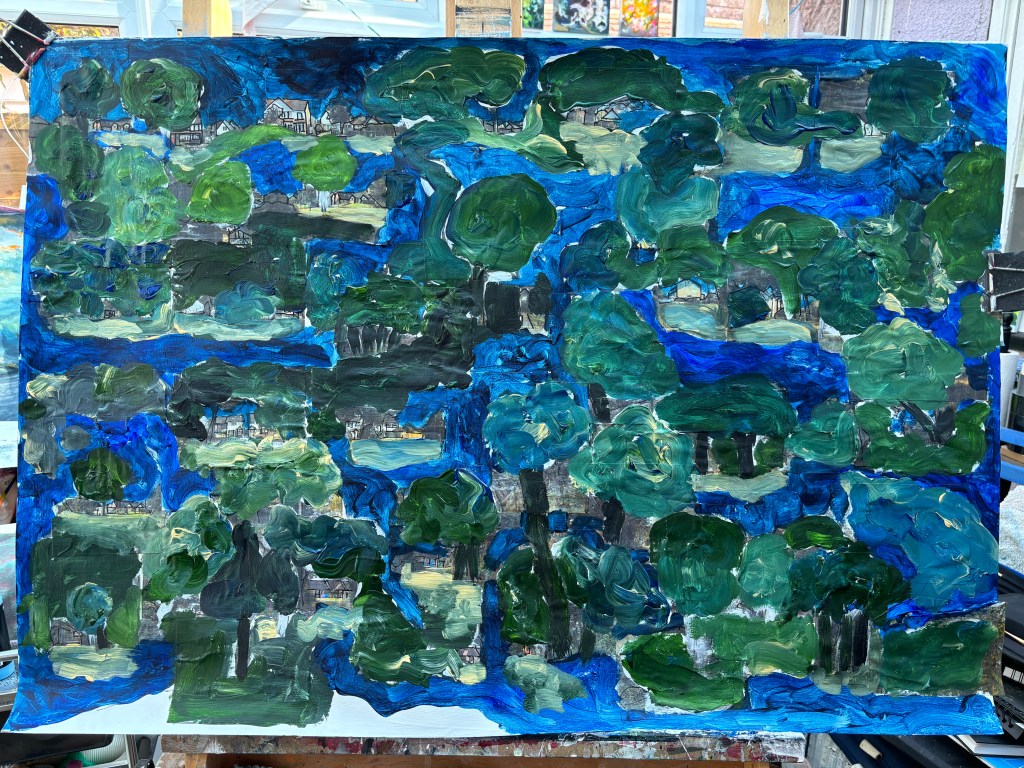
Yes, it’s dark. The light has to be in the buildings almost hidden in the foliage and in the trees when I’ve christmasified them. I’ll maybe do some more outlining and perhaps work the buildings with acrylic pens.


These two show some more detailed outlining in acrylic pen, some faint washes with watercolour pen brushes, and some modifications with white acrylic pen that lightens and lifts the colour.
The image is beginning to take shape and today my gold paint has arrived. But I think I need to solidify the tracts of blue before I add any of that.
21st September.
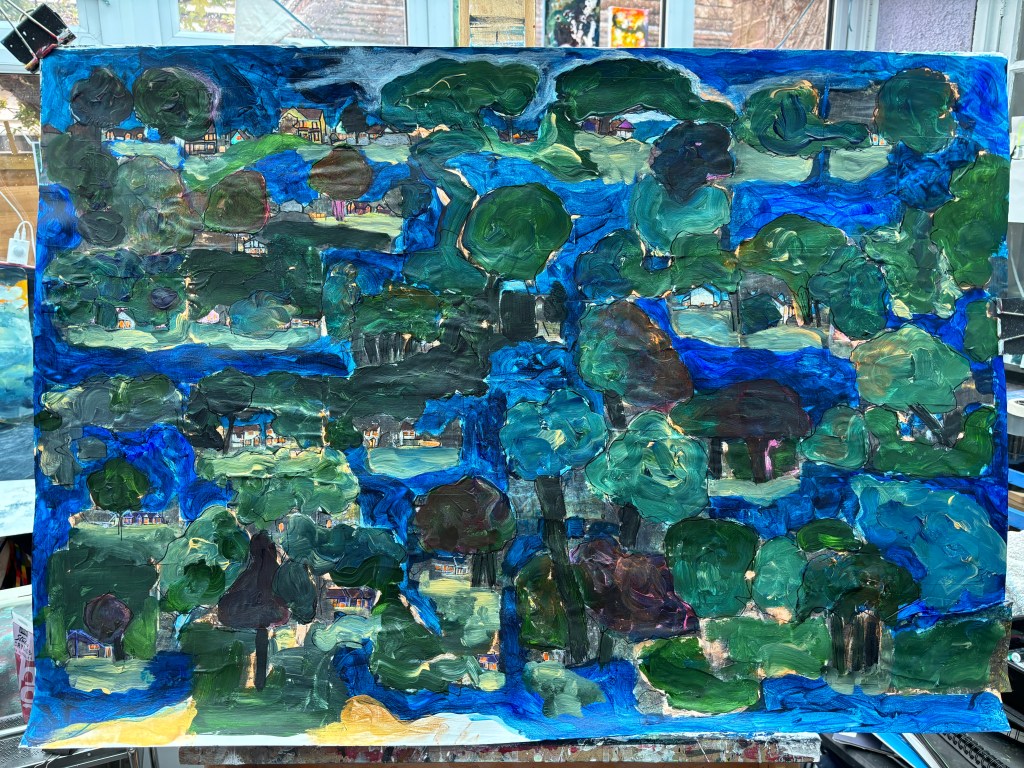
I couldn’t resist trying out the gold and, unlike other gold paints I’ve encountered, this seems to give solid coverage over white while being semi-transparent over other pigments. I’ve also been round picking out white spots with neon orange and adding a red wash to some of the darker trees. I’m wondering now if the blue, which was meant to be the sky running above the lane at four different points, should become more earth-bound.
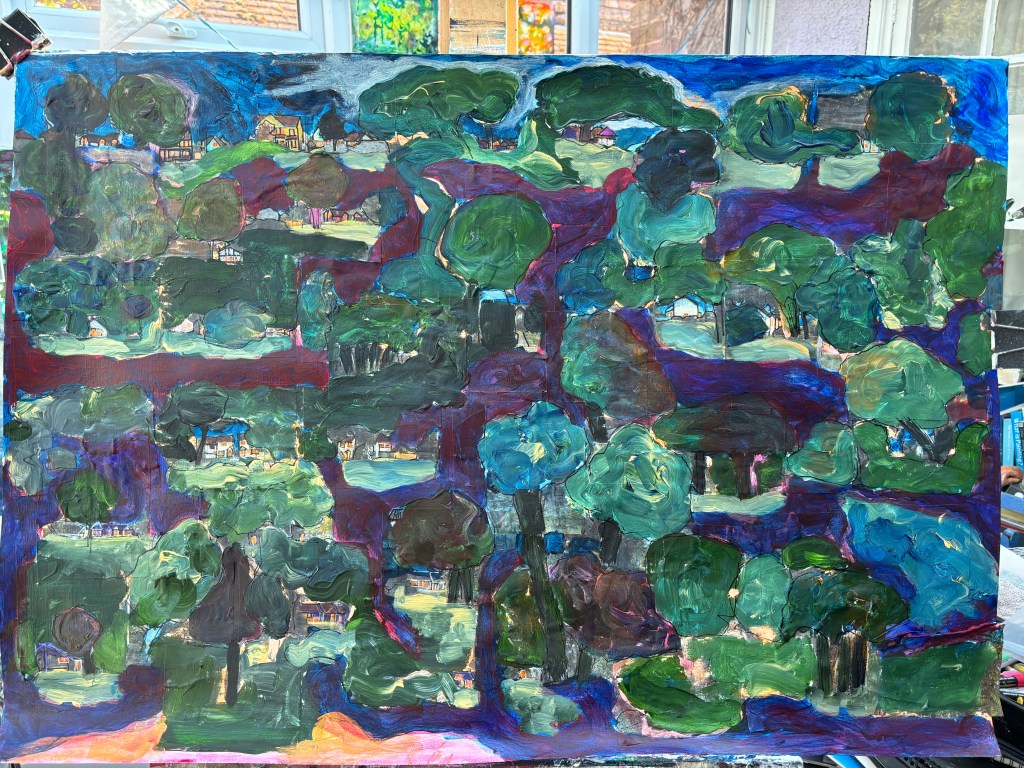
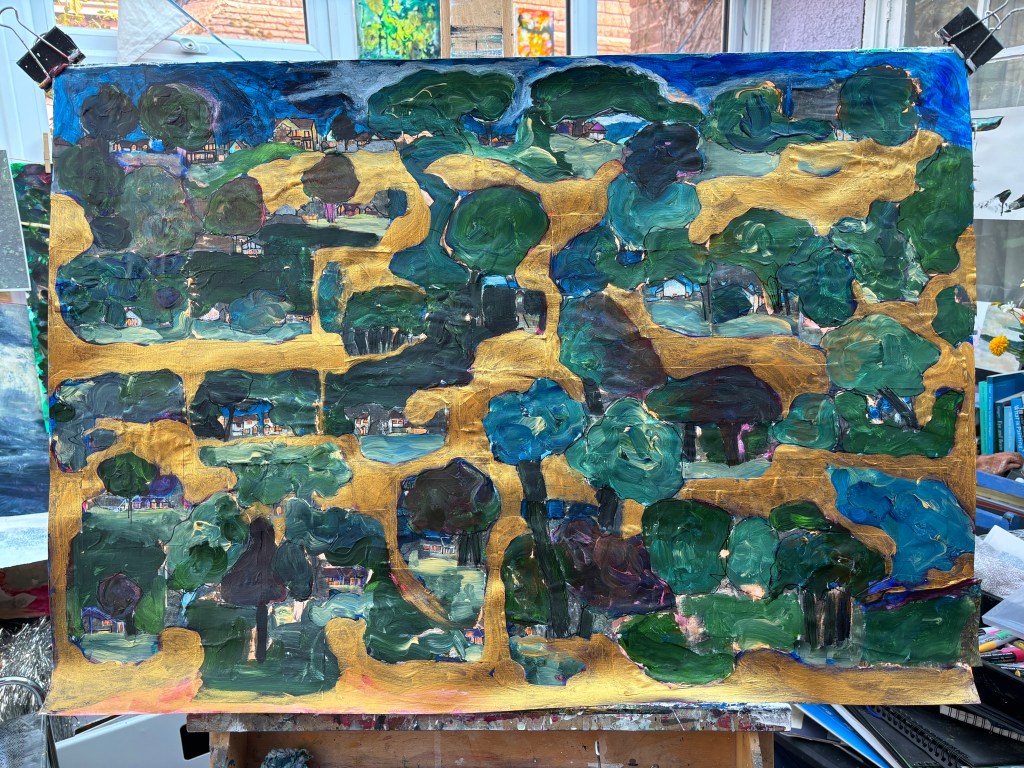

This feels much better. Turning the pathway gold brings back the village if not the lane in its real-world form. And on my first look at it onscreen I ‘saw’ a Santa in a sleigh moving along the path leaving presents at all the houses and in the trees.
To make that happen will be a big job with a number of paintings of presents to put onto greenscreen, along with a separate santa image. Then they will all need to go into my video suite for millimeter by millimeter movement in stop motion as the sleigh progresses through the painting. To make it easier, I think I should just ‘pop’ the presents into place as the sleigh passes rather than try to have santa lob them out. There would be quite a lot of arcs to consider there.
And what about the journey’s end – sky candles/fireworks or does he just take off and disappear stage left? Actually, maybe he enters at the bottom right and leaves top left.
First step will be to print the image and draw out the track in case I need to add some more gold. Unless he’s going to vanish under the trees from time to time.
Can I reuse last year’s santa – image 4 above? It looks as though I could greenscreen it and simultaneously isolate him on his sleigh with the presents and the tree.

24th September. I removed the background from the 2023 Santa, applied the chroma key, and positioned the image sequentially at various points on the pathway in a stop-motion process. Unfortunately, the complexity of the image at the size necessary for its role, led to it becoming indistinguishable from its background so it was discarded. Luckily, PowerDirector had an animated Santa which, after trying it in different places, seemed best suited to a stationary position. I had also found in PD’s inventory, a pair of bells, a snowman, some dangling ornaments, bursts of sparkles, and various layers of falling, rising, and spinning snowflakes. The Christmassy audio track came from Epidemic Sound. In Artivive, I was also able to add a 3D layer of snowflakes spinning out of the image. The audio is ‘Our First Christmas’ by Arthur Benson, via Epidemic Sound.
Here’s the PowerDirector deck:
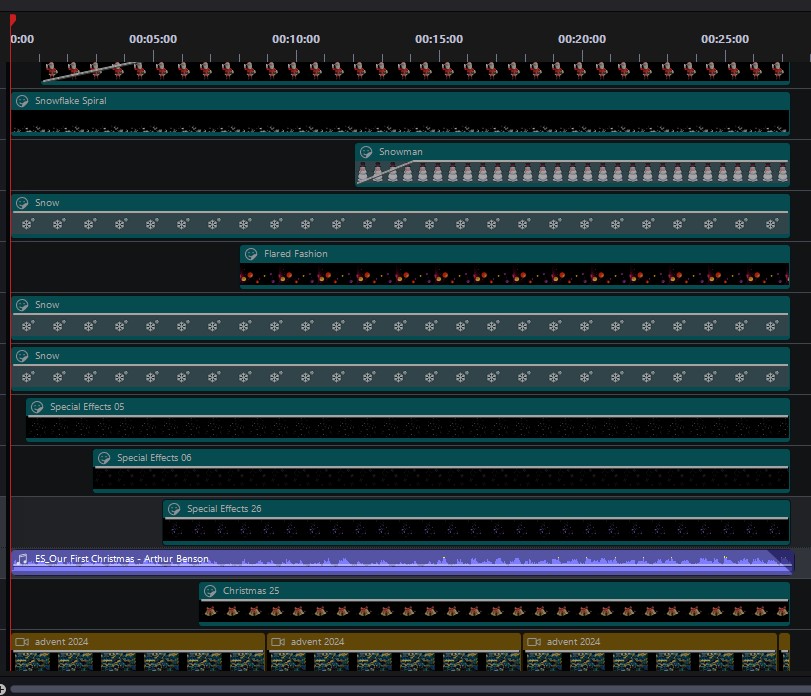
You can see from this that I manipulate the time of entry of the various layers and also (not shown) their size and position onscreen. Some are faded in and/or out.
And here’s an in-app recording demonstrating the 3D snowflakes which are the product of the AR platform provided by Artivive and not present on the primary video:
Below is the primary video.
And here is the label which breaks all the rules by being much longer than it should be, but ssh, a magic eagle said I could.

SCH 2024
Footnote: I don’t know yet how I will make this work with my windows, but I will be making cards for everyone in the lane so, assuming a signal, they’ll be able to access the AR wherever they, um, ARe.
 Conboyhill Arts - art from stART to finish
One thought on “Advent time, Pepperscoombers!”